Slack
Sourcery's Slack integration is designed to be used in tandem with our Sentry integration to automatically investigate and fix any Sentry issues that you get alerts about in Slack channels
Slack + Sentry + Sourcery
To get started:
-
Follow the Sourcery + Sentry integration guide and connect your Sentry account to Sourcery.
-
Add the Sourcery Slack integration into your Slack workspace
-
Invite Sourcery to channels where you get Sentry alerts. The easiest way to do this is to type @Sourcery into the channel you want to add it into.
-
Select whether or not you want Sourcery to auto-investigate every issue that comes into that channel. If you do not enable auto-investigation, you'll have to manually trigger the investigate command within the thread of an issue.
-
Sourcery will now start replying to new Slack messages from Sentry with an investigation of the issue, likely hypothesis, and proposed fixes.
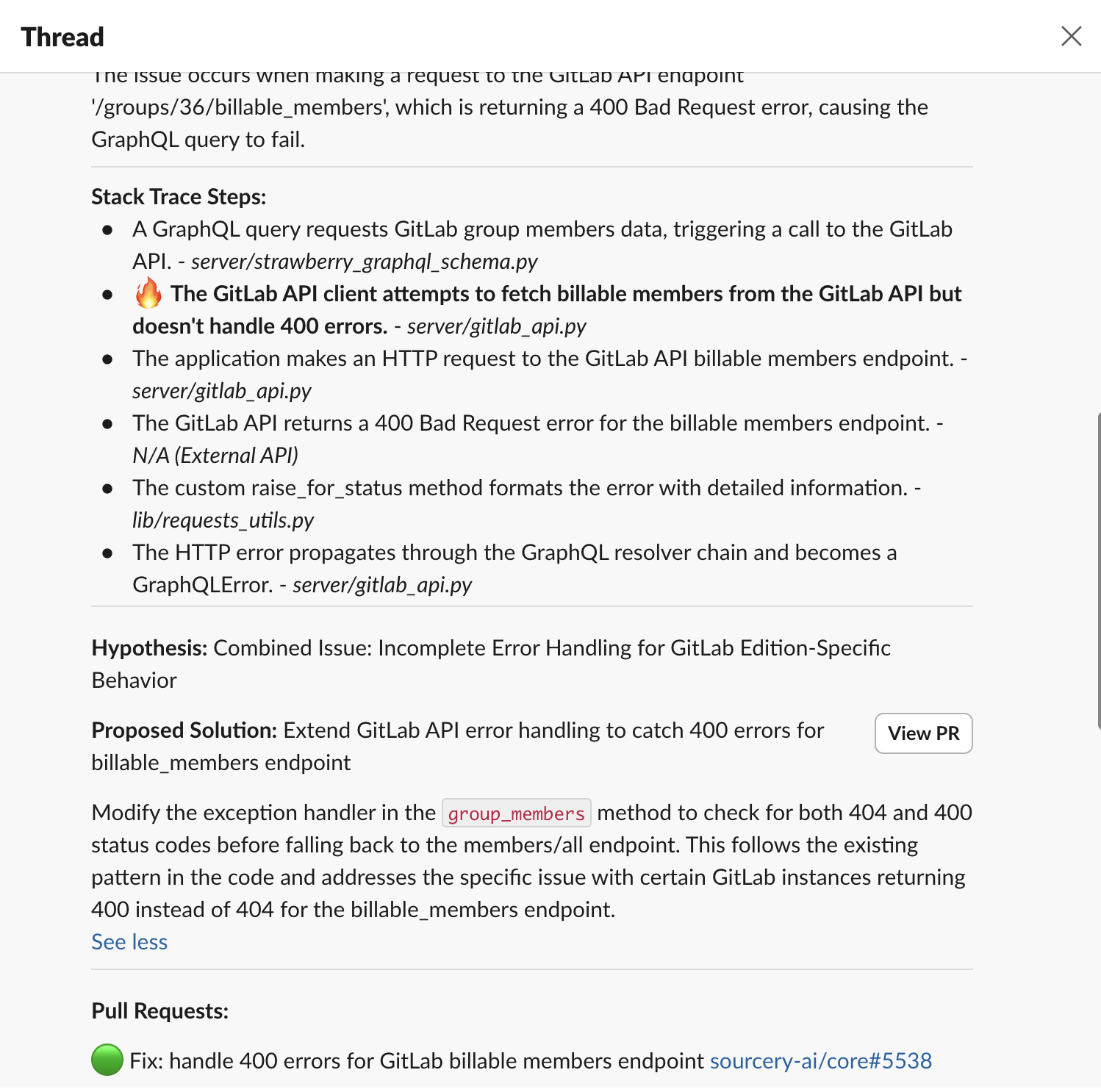
- You can click the "Create PR" button from within the Slack thread to generate a PR to fix that issue.